...
- phone number associated with conference call;
- number of participants;
- ora di inizio e di fine (nel caso di conference call a tempo).
For each conference call, the admin is able to access the detail page clicking on the Details link, where he can see a full list of participants in the conference call, with the possibility of taking actions on them (mute - unmute - kick).
...
- ????????????????????
Admin is able to send an invitation link to the conference call to extend the call to other participants clicking on Send Invitation link in conference Details view:
| Subtitle | ||||||
|---|---|---|---|---|---|---|
| ||||||
|

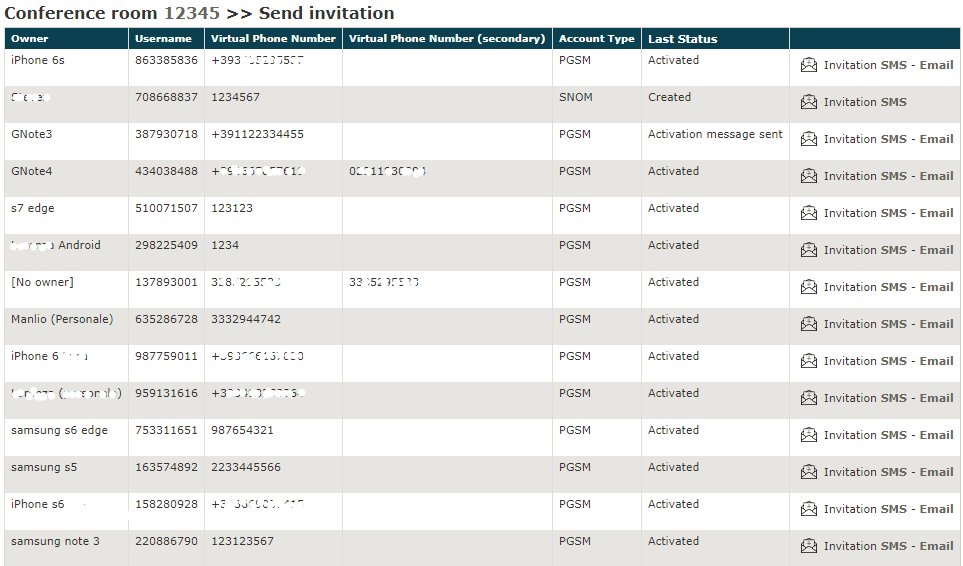
The is sent to the recipient's terminal and, once opened, it automatically activate the PrivateWave client and connect the user to the conference call.
For each conference call, the admin is able to access the detail page clicking on the Details link, where he can see a full list of participants in the conference call, with the possibility of taking actions on them (mute - unmute - kick):
| Subtitle | ||||||
|---|---|---|---|---|---|---|
| ||||||
|

| Navbar |
|---|